Archiving Data for Camera-Ready Papers
Once your manuscript is accepted for publication, convert the previously anonymized repository or OSF project into a public one, including version control. After doing this, download all included figures, data, or code as a .zip file and upload them to Zenodo. This archives your data and provides a stable DOI from Zenodo.
Step 1: Make your repository/OSF project public
Unless you already have a public repository, create a new public one on Codeberg within the CALC project. Upload your data, figures and code manually (or git push directly from the terminal). Make sure to include a READ.me file in which you list all the necessary information about your study, such as its Title, Name and Affiliations of the authors as well as the correct citation.
Step 2: Create a tag for version control
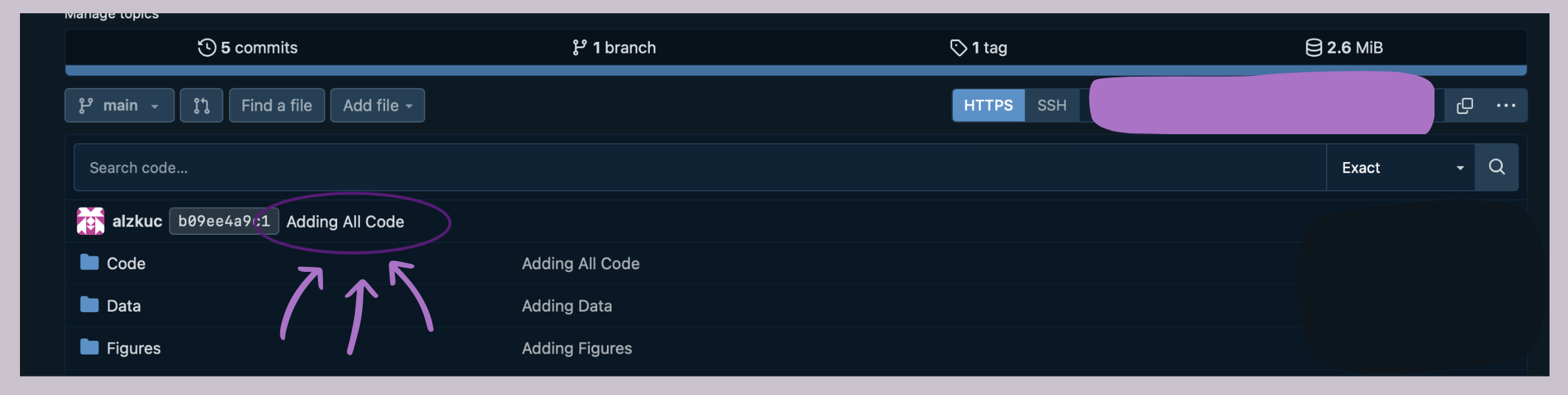
The easiest way to do this on Codeberg is to click on the last commit in your repository (Here: "Adding All Code").
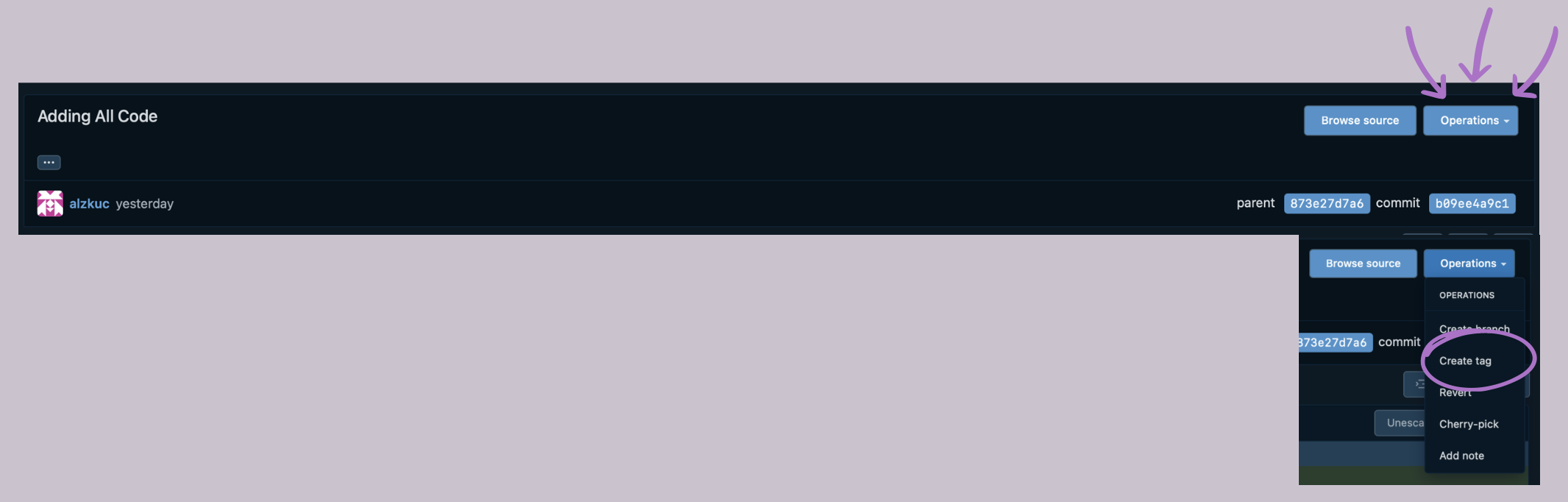
Once the new window opens, click on "Operations", select "Create Tag" in the dropdown menu and type in your version number (If this is the first version, v1.0).
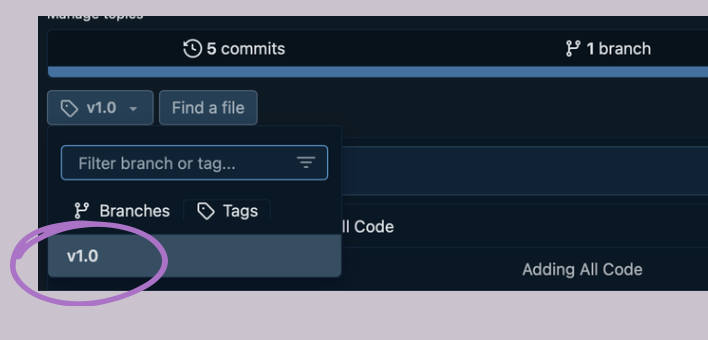
If everything went well, you should now see your version under tags on the main page of your repository!