Archiving Data for Camera-Ready Papers
Once your manuscript is accepted for publication, convert the previously anonymized repository or OSF project into a public one, including version control. After doing this, download all included figures, data, or code as a .zip file and upload them to Zenodo. This archives your data and provides a stable DOI from Zenodo.
Step 1: Make your repository/OSF project public
Unless you already have a public repository, create a new public one on Codeberg within the CALC project. Upload your data, figures and code manually (or git push directly from the terminal). Make sure to include a READ.me file in which you list all the necessary information about your study, such as its Title, Name and Affiliations of the authors as well as the correct citation.
Step 2: Create a tag for version control
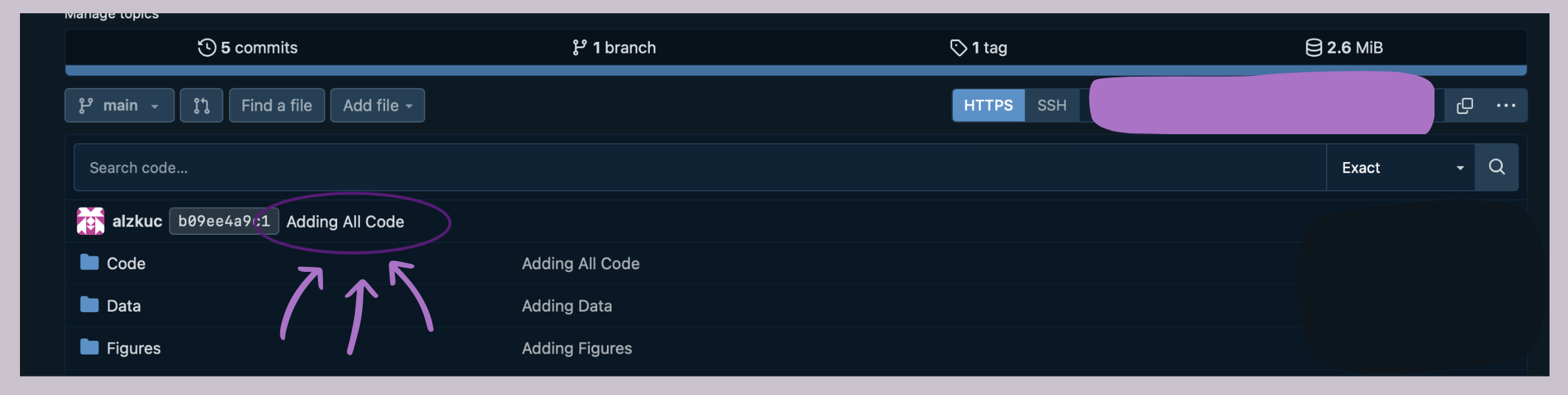
The easiest way to do this on Codeberg is to click on the last commit in your repository (Here: "Adding All Code").
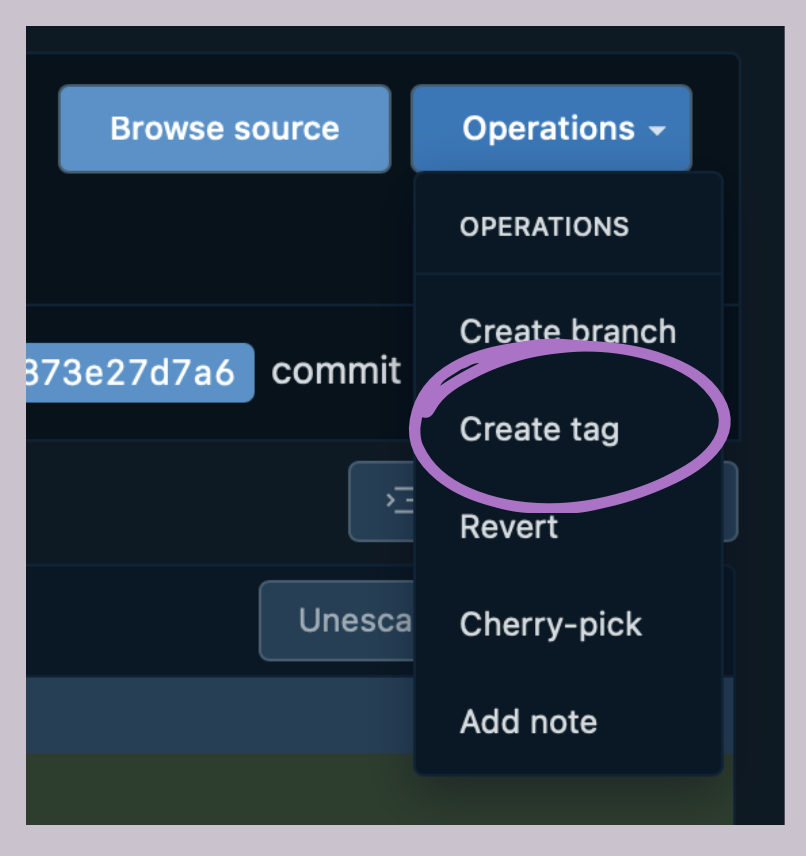
Once the new window opens, click on "Operations".